
About RoEmpire Countryball Wars
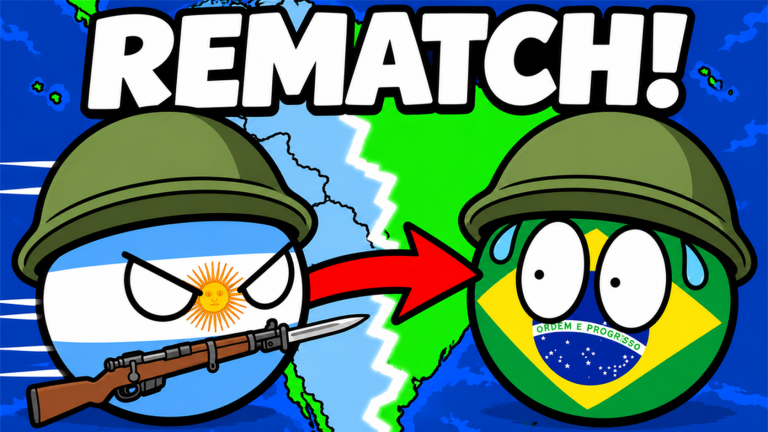
RoEmpire Countryball Wars is a strategy Roblox experience created by RoEmpire Studios, currently attracting 2,072 active players. Below you will find everything you need to know about the game, how promo codes and in-game rewards work in November 2026, step-by-step screenshots, and our full redemption walkthrough at the bottom of this guide.
Official Game Description
Lead your Countryball to world domination! 🌍
Pick your country and its Countryball comes to life — armed, animated and ready to march into battle on a living world map. Grow your borders tile by tile, outsmart rival players and crush them before they crush you.
✈️ AIR WAR — launch fighters from your airfields to defend your skies or strike enemy SAM sites 🚢 NAVAL POWER — send boats to invade other islands, rule the seas with warships, and grow rich with trade ships 🎖️ RANKS — climb from Recruit to legend with every match ⭐ STARS — earn Stars every game and spend them in the Arsenal, Flag Shop and Crates 🏳️ YOUR FLAG — every player fights under their own country's flag
Play solo right in the lobby to learn the ropes, or jump into public matches against real players from around the world.
Will your Countryball rule the world — or get wiped off the map?
👍 Like and ⭐ Favorite for updates!
RoEmpire Countryball Wars Codes Guide & Rewards (November 2026)
Promo codes in RoEmpire Countryball Wars are released by RoEmpire Studios around major content updates, seasonal events, visit milestones, and bug-fix patches. Redeeming working codes gives players an instant boost without having to grind from scratch.
Because Roblox promo codes can be case-sensitive and often expire right after a new patch goes live, read through the full breakdown below and bookmark this page to catch every newly verified drop as soon as it goes live.
What Rewards Do RoEmpire Countryball Wars Codes Unlock?
Developer reward codes typically unlock free in-game currency, exclusive sandbox items, temporary progression boosts, or event cosmetics tied to the latest patch. When a new update drops, older milestone codes are frequently rotated out, so it is best to redeem rewards as soon as they appear.
Tips Before Redeeming Codes in RoEmpire Countryball Wars
- Enter each code exactly as shown — extra trailing spaces or wrong capitalization can trigger an invalid-code message.
- If a brand-new code does not work immediately, rejoin a fresh server so your game instance loads the latest update.
- Each code can only be redeemed once per Roblox account.
Active RoEmpire Countryball Wars Codes (0)
Live RoEmpire Countryball Wars Code Tracker (November 2026)
RoMetric continuously monitors RoEmpire Countryball Wars's Roblox updates, official developer announcements, community hubs, and verified drop feeds so new promo codes and walkthroughs appear here the moment they release.
How to Redeem RoEmpire Countryball Wars Codes
- Launch RoEmpire Countryball Wars on Roblox (PC, mobile, or console).
- Open the in-game Codes menu (usually found on the side HUD, shop icon, gift box, or settings gear).
- Copy an active code above using the one-tap copy button and paste it into the text field.
- Press Redeem or Confirm to claim your in-game reward immediately.
RoEmpire Countryball Wars Codes FAQ (November 2026)
Are there any working RoEmpire Countryball Wars codes in November 2026?
Check the live RoEmpire Countryball Wars codes tracker above for November 2026. RoMetric continuously monitors official RoEmpire Countryball Wars updates, developer announcements, and live reward drops so you can claim new codes the moment they release.
How do I redeem RoEmpire Countryball Wars codes on Roblox?
Open RoEmpire Countryball Wars in Roblox, look for the Codes button (often a Twitter/X bird icon, gift box, settings gear, or shop menu on the side of the screen), paste one of the active codes from RoMetric exactly as shown, and press Redeem to claim your reward.
Why is my RoEmpire Countryball Wars code not working?
Roblox promo codes for RoEmpire Countryball Wars are usually case-sensitive and expire without warning after events or updates. Copy the code directly with the one-tap Copy button so there are no extra spaces, and check that it is not listed under Expired Codes.